Split the bill.
Skip the math.
TipBright: Tip & Split Bill
Enter the bill, pick a tip, and see exactly what everyone owes. Add tax, scan the receipt on your device, and keep every bill in one place.
Free, with banner ads. Optional subscriptions remove the ads or unlock every feature. Prices are shown in your local currency before you confirm.

- Price
- Free
- Category
- Finance
- Requires
- iOS 15.0+
- Size
- 30.1 MB
Built for the table
- One-tap tip presets
- Tax and split built in
- Receipts scanned on your device
- Bills saved to review later
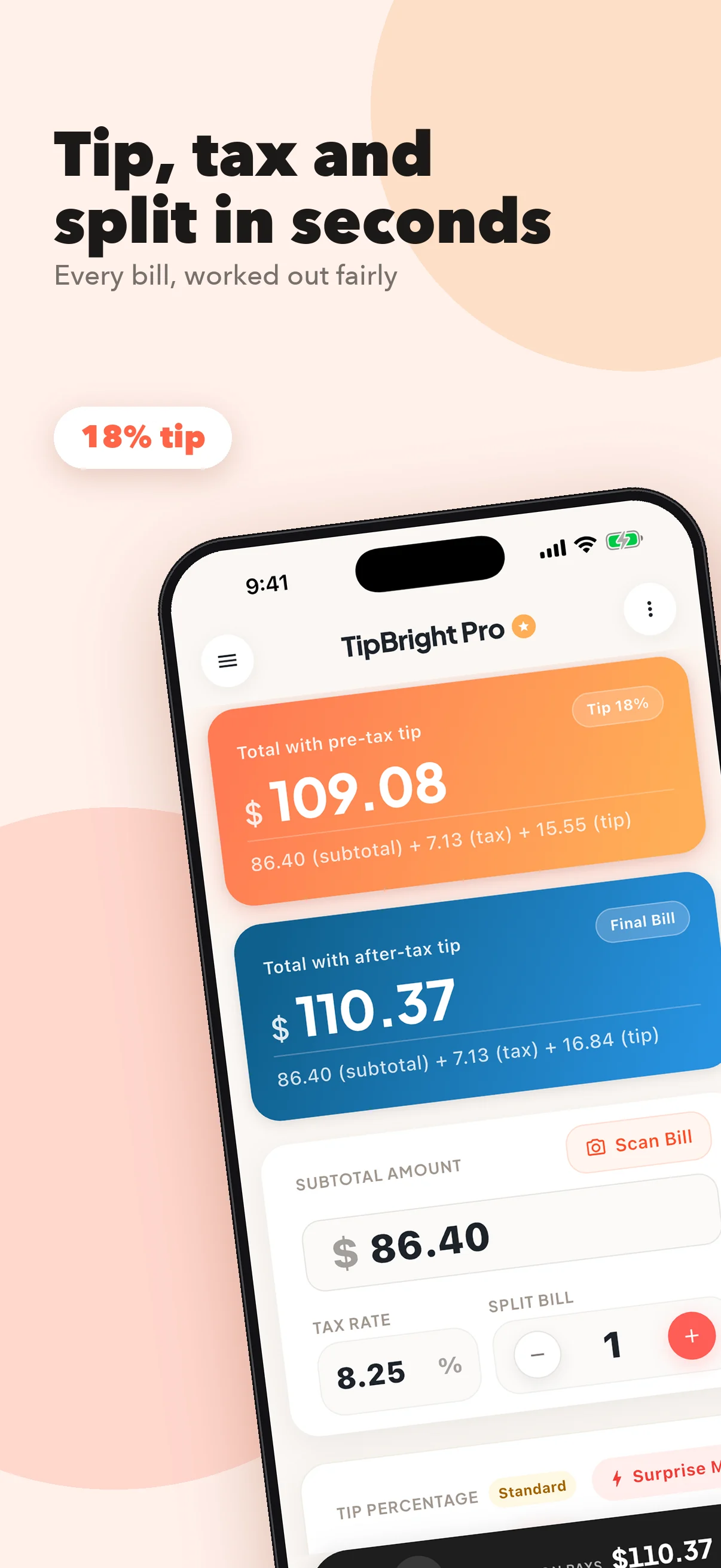
Tip, tax, and split in one place
Pick a tip with one tap: 10%, 15%, 18%, 20%, or enter your own. Add your local tax rate and see the total with tip.
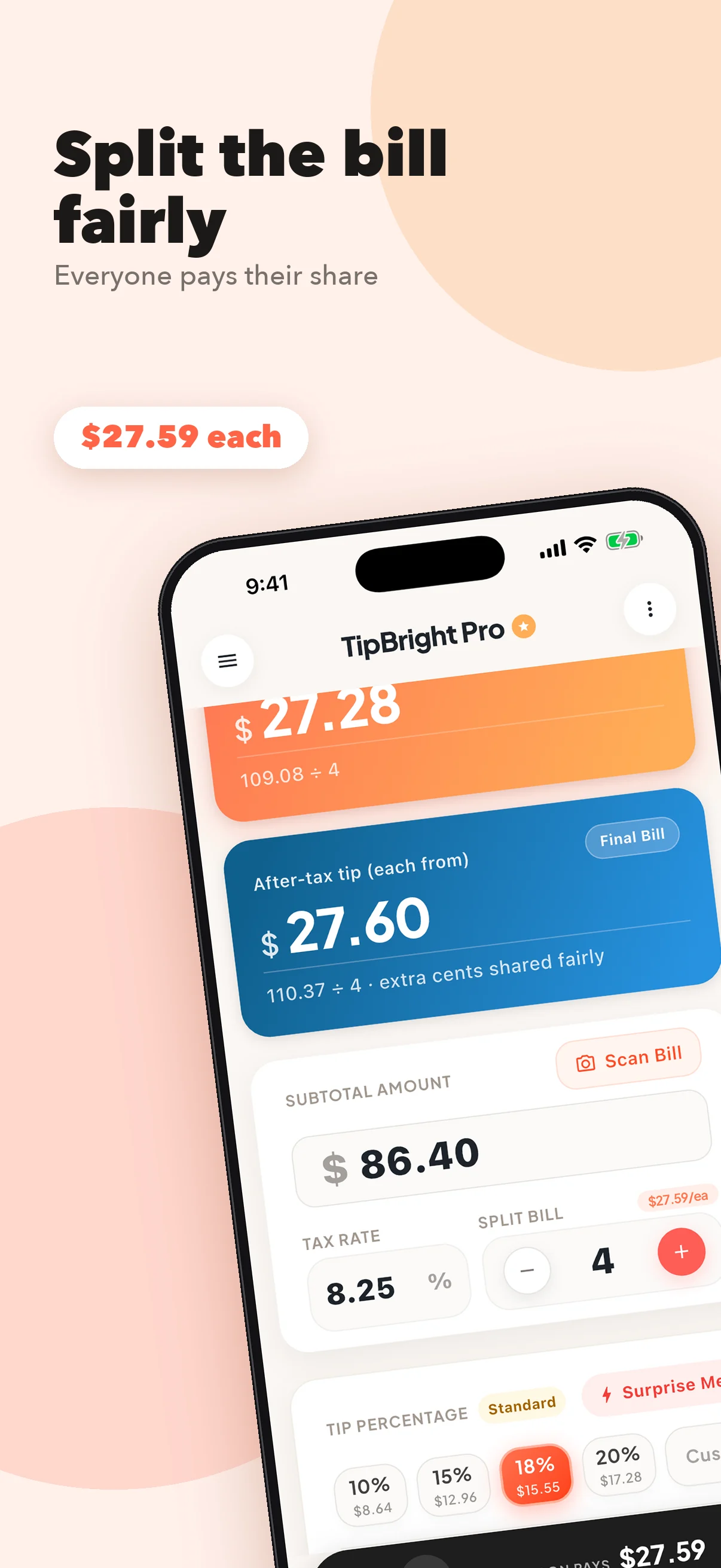
Everyone pays their share
Split the bill between any number of people and see what each person pays. Not sure what to tip? Tap Surprise Me for a random pick, then share the result with your table.
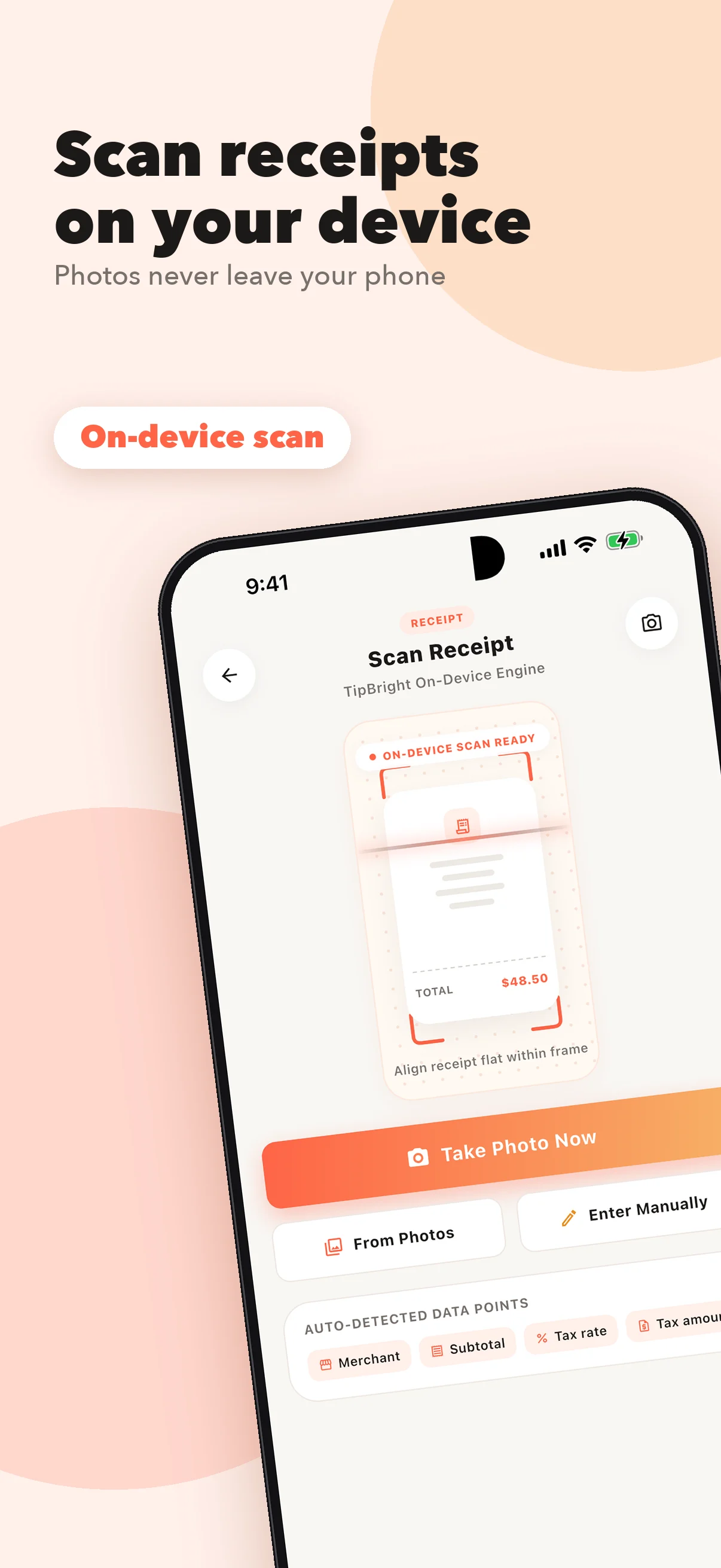
Scan receipts on your device
Take a photo of your receipt or choose one from your library. TipBright reads the restaurant name, subtotal, and tax rate on your device, then fills in the calculator for you. Receipt photos are not uploaded to a server.
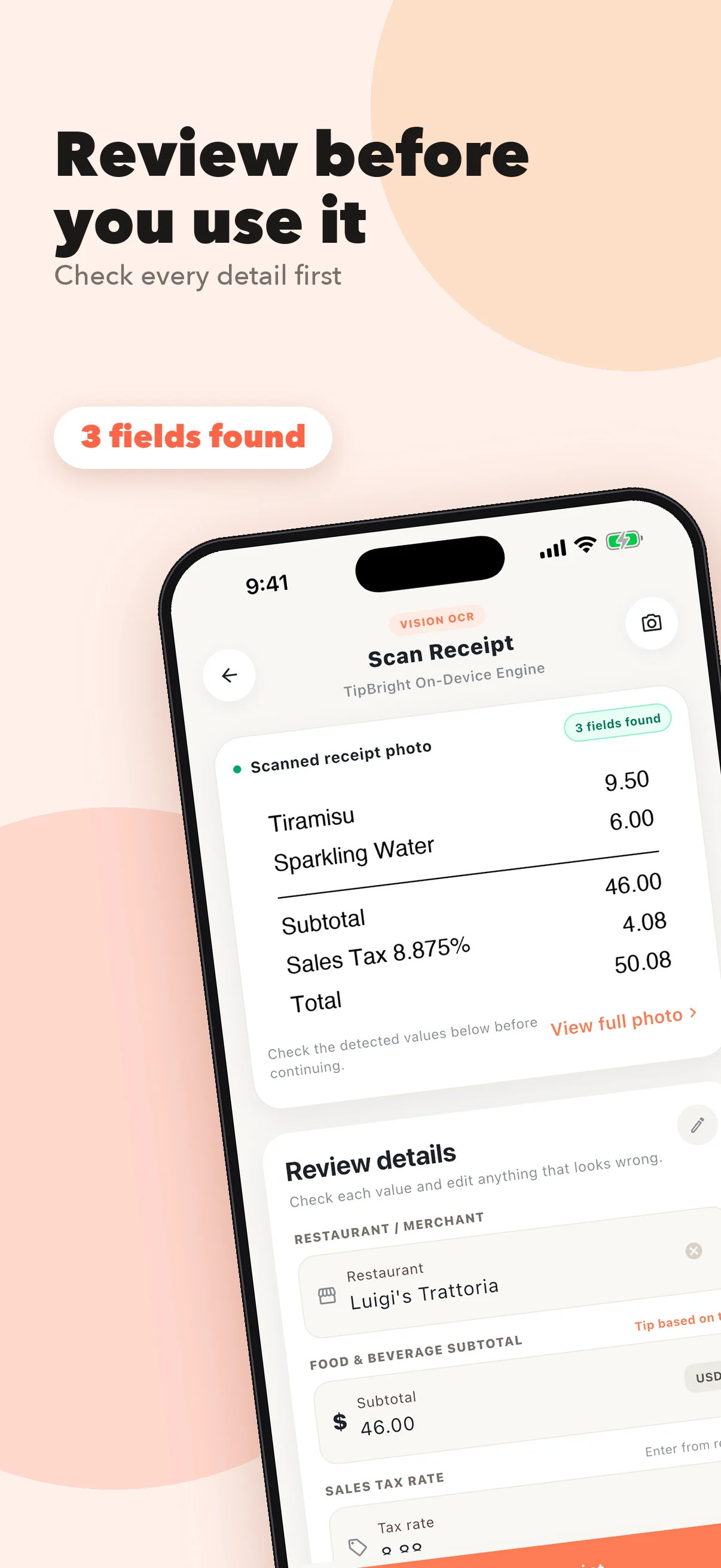
Review before you use it
Check every detail the scan found, and edit anything that looks wrong before it goes into the calculator.
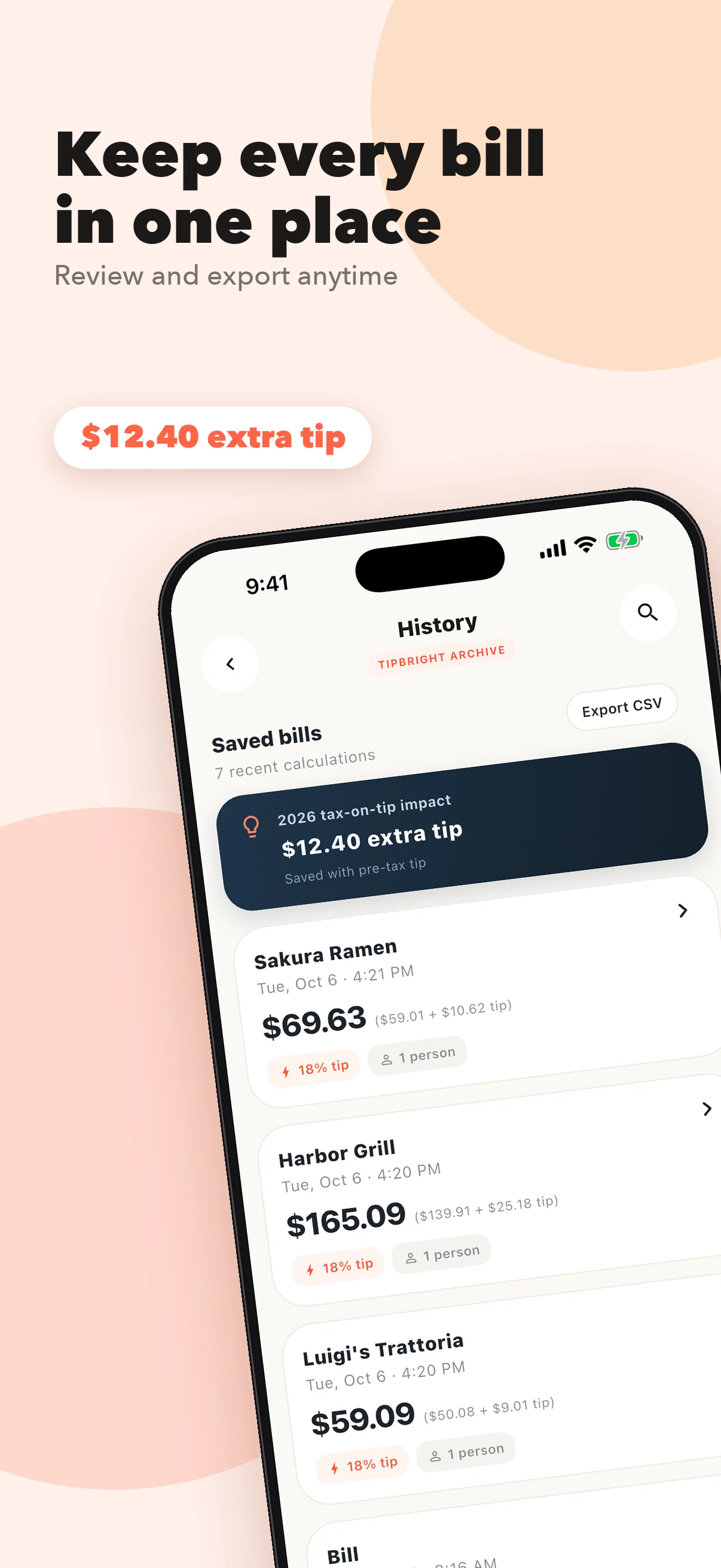
Keep every bill in one place
Save bills with the restaurant name and review them later. Free keeps your 3 most recent bills, Ad-Free keeps 10, and Pro keeps unlimited history.
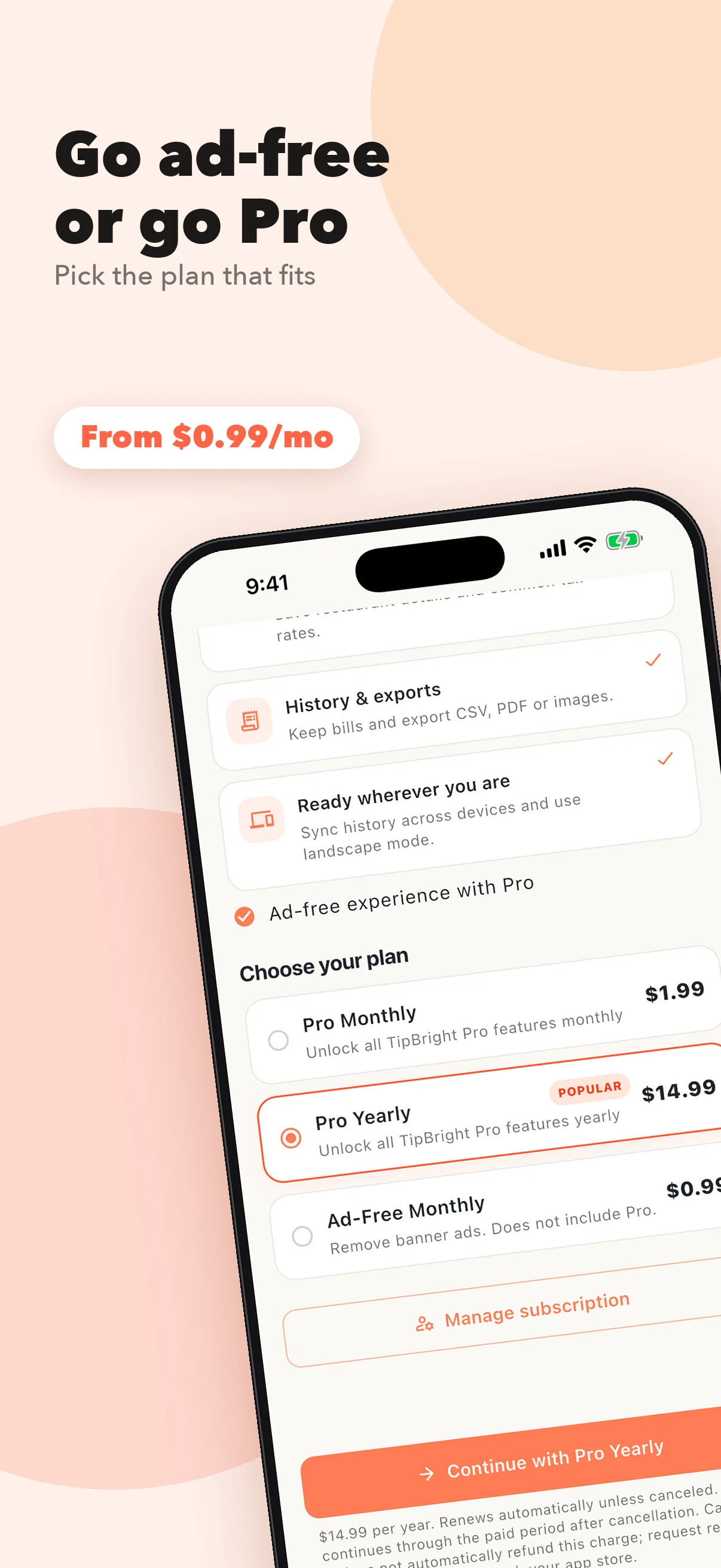
Go ad-free or go Pro
Free shows banner ads. Ad-Free removes them, and Pro unlocks every feature. Pick the plan that fits, and the App Store shows the price before you confirm.
From the bill
to everyone's share.
- 1
Enter the bill
Type the subtotal, or scan the receipt and let TipBright fill it in.
- 2
Pick a tip and add tax
Tap a preset, enter your own, or tap Surprise Me. Add your local tax rate.
- 3
Split it
Choose how many people share the bill and see what each person pays.
- 4
Share and save
Share the result with your table, and save the bill to review later.
The whole check, worked out fairly.
Everything you need at the table, and a little extra when you want it.
Tip and tax
Pick a tip with one tap, or enter your own. Add your local tax rate and see the total with tip.
Fair splits
Split the bill between any number of people and see what each person pays. With Pro, set custom split ratios that always add up to the exact total.
On-device receipt scanning
TipBright reads the restaurant name, subtotal, and tax rate on your device. Your first scan is free, Ad-Free includes 3, and Pro includes unlimited scanning.
Bill history
Save bills with the restaurant name. Free keeps your 3 most recent bills, Ad-Free keeps 10, and Pro keeps unlimited history.
Sync and export with Pro
With Pro, sync your history across your devices with Sign in with Apple, and export bills as PDF, CSV, or image.
More with Pro
Restaurant and tax templates, multiple tax rates, a choice of display currency, yearly tip statistics, landscape mode, and no ads.
Q&A
Is TipBright free?
Yes. TipBright is free and shows banner ads. Three optional auto-renewing subscriptions are available. TipBright Ad-Free Monthly removes the banner ads, keeps up to 10 saved bills, and includes 3 receipt scans, without the other Pro features. TipBright Pro Monthly and TipBright Pro Yearly unlock every Pro feature, with no ads. The App Store shows each price in your local currency before you confirm. Subscriptions renew automatically unless you cancel at least 24 hours before the end of the current period. You can manage or cancel them in your Apple Account settings.
Are my receipt photos uploaded?
No. TipBright reads receipts on your device, and receipt photos are not uploaded to a server.
How many receipts can I scan?
Your first scan is free. Ad-Free includes 3 scans, and Pro includes unlimited scanning.
How many bills does TipBright keep?
Free keeps your 3 most recent bills, Ad-Free keeps 10, and Pro keeps unlimited history.
Can I use TipBright on more than one device?
With Pro, you can sync your history across your devices with Sign in with Apple. TipBright runs on iPhone and iPad with iOS 15 or later.
Is the total exact?
TipBright provides estimates. Check amounts and local tipping and tax rules before you pay.
Where can I get help?
Visit the support page below, or use the feedback form on our homepage.
Everyone pays their share.
Download TipBright and let the app do the math.